

Dr. Tracy Ayrhart is parent of two public elementary school students and vice president of Data and Research at Texas 2036.
Spring STAAR End-of-Course results became available to families through the online Family Portal on June 10, 2026, with grades 3–8 following on June 16, 2026. When yours arrive, this is the walkthrough I use as a parent to find the scores, read them correctly and decide whether to follow up.
If you want the bigger-picture version first — what the score does and doesn’t tell you about your child — start with What your child’s STAAR results actually mean. This guide is the hands-on companion to it.
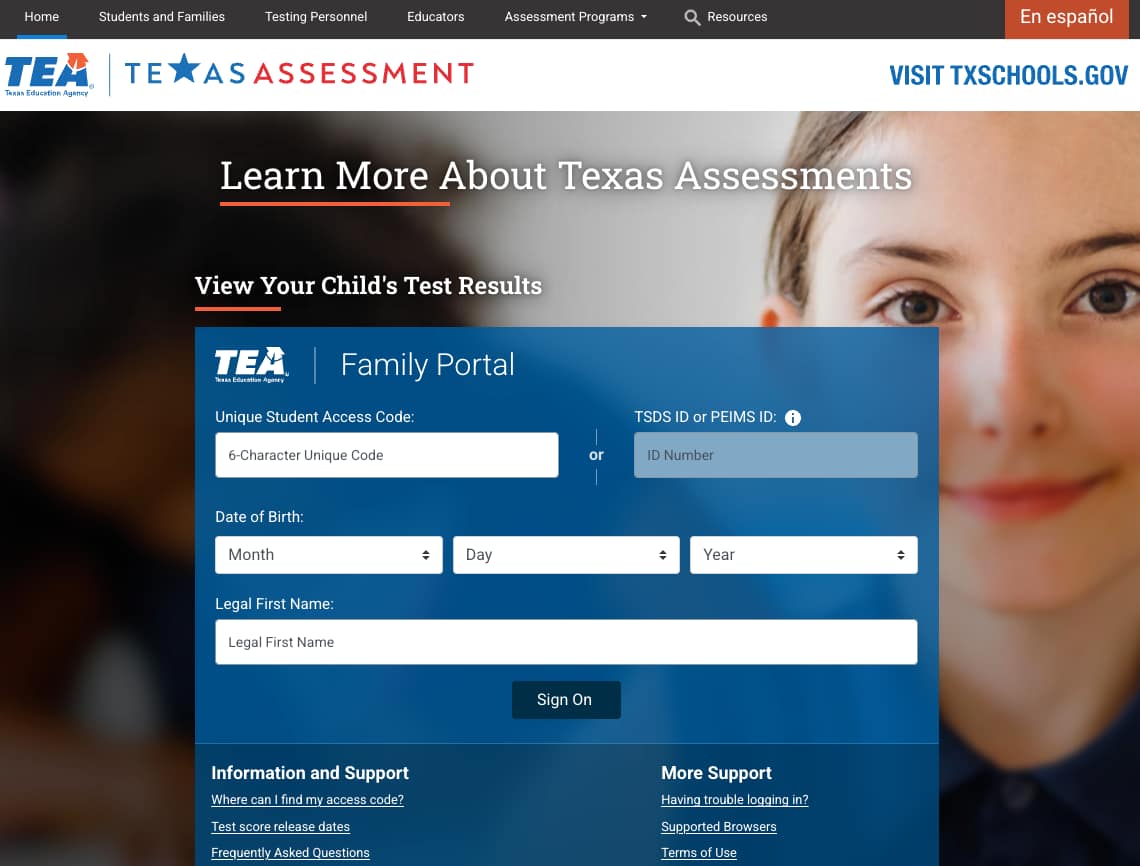
Step 1: Log in
The Family Portal is at TexasAssessment.gov. You’ll need three things for each child:
- The unique access code from the school district. In my district, the parent portal links directly to the Texas Assessment website — I do not need to enter the access code separately.
- The child’s date of birth.
- The child’s legal first name.
If you don’t have the code, you can request it from your child’s school or district testing coordinator.
Step 2: Read the performance level
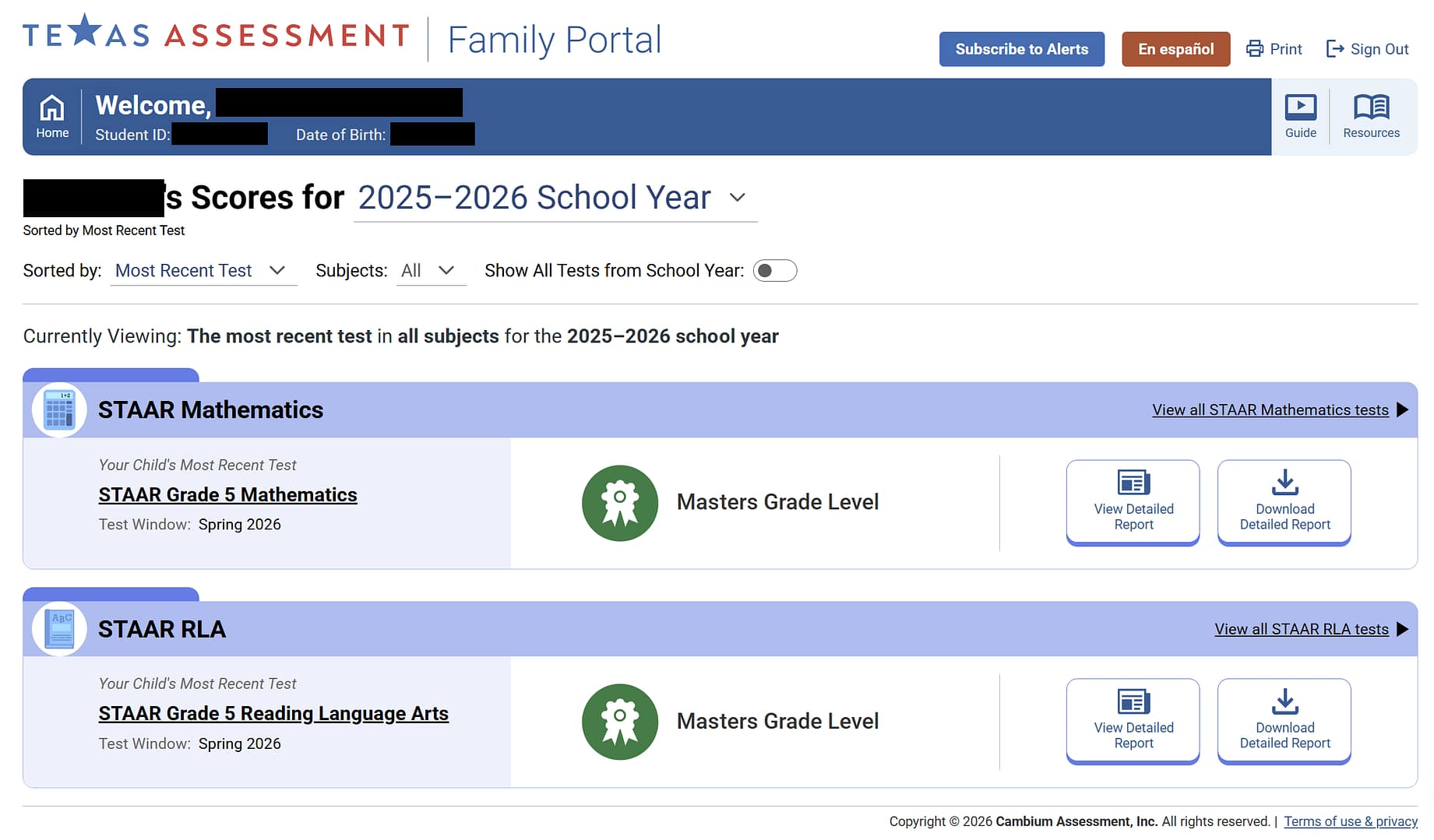
The report leads with one of four performance levels. Texas uses these to describe how likely a student is to succeed in the next grade or course — and how much support they’re likely to need to get there:
- Masters Grade Level (passing). A strong command of the material; the student is expected to succeed next year with little or no extra help.
- Meets Grade Level (passing). A solid grasp of the material and a high likelihood of success next year, though some short-term, targeted support may still help.
- Approaches Grade Level (passing). Some grasp of the material; the student is likely to succeed next year with targeted academic intervention. This is a passing score, but it often still signals a need for help.
- Did Not Meet Grade Level (not passing). The student didn’t show enough understanding of the material and is unlikely to succeed next year without significant, ongoing academic intervention.
A few things to keep in mind as you read the level:
- It shows likelihood of success, not a fixed verdict. Outcomes change based on the support and interventions a student receives.
- Trends matter most. “Approaches” with year-over-year growth is a different story from “Approaches” with a drop in performance from the prior year.
For many families, this is where it ends — the headline matches what you already know about your child, and you can note it and move on.
When to dig deeper
There are a few reasons to look past the headline:
- Your child scored “Did Not Meet” or “Approaches Grade Level,” and you want to understand where the gaps are.
- The score doesn’t match what you’re seeing in school — better or worse than you’d expect.
- A subject that was solid last year dropped this year, or vice versa.
- Your child is showing signs of struggle at school that you want to understand better.
- Your child is performing well and you’re looking for ways to support their learning.
Three tools in the Family Portal are useful for digging deeper.
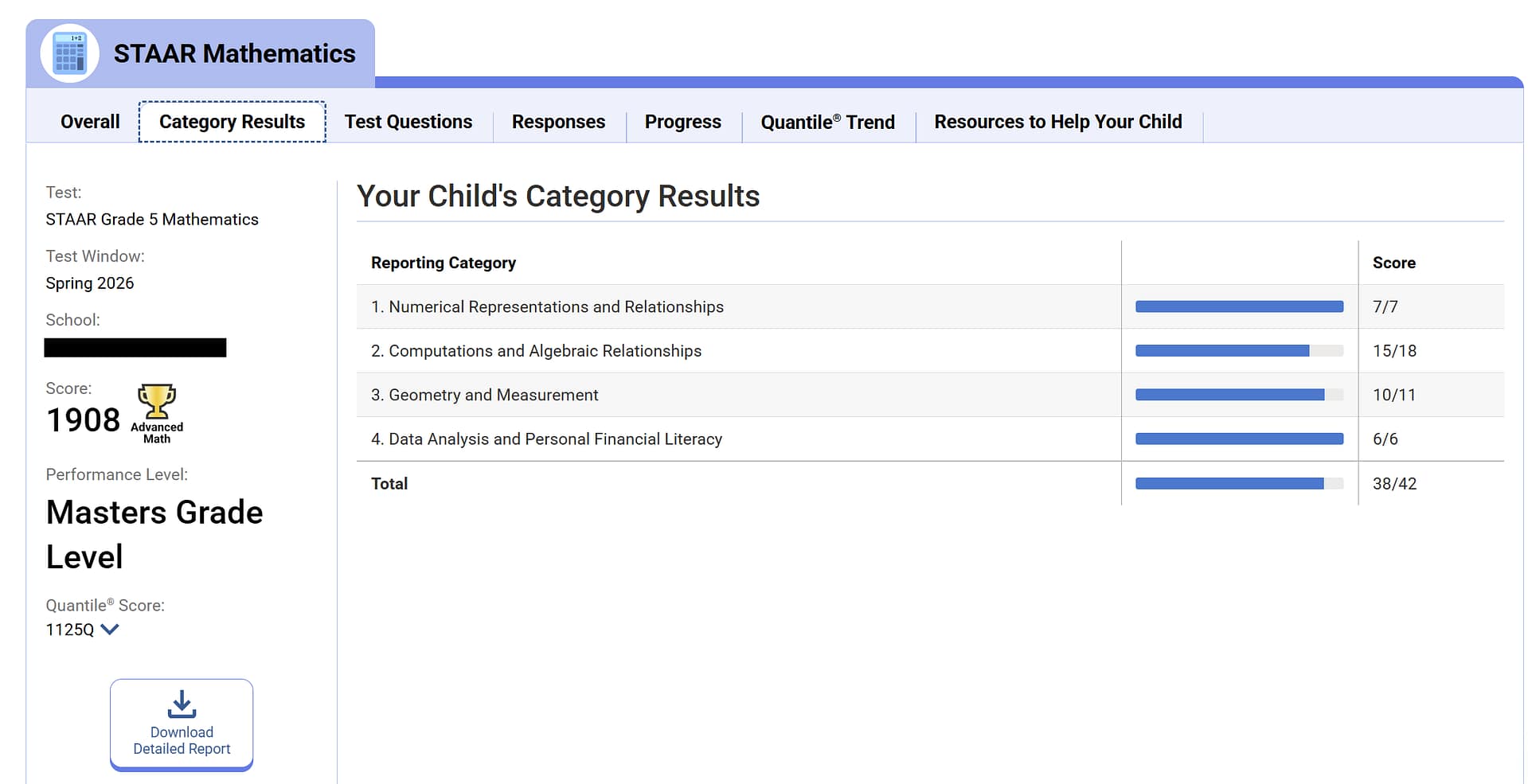
The reporting category breakdown. Below the overall score, the report breaks performance down by content strand — the specific skills within a subject. A child can land at “Approaches” overall while showing strength in three categories and weakness in one. That’s a different situation from a child whose scores are mediocre across the board, and it points to a different kind of support that is needed.
The individual questions. The Family Portal shows each question, your child’s answer, the correct answer and the reasoning. If I see a pattern in the category breakdown that I want to understand, the question-level detail helps me describe what I’m seeing when I reach out to the teacher.

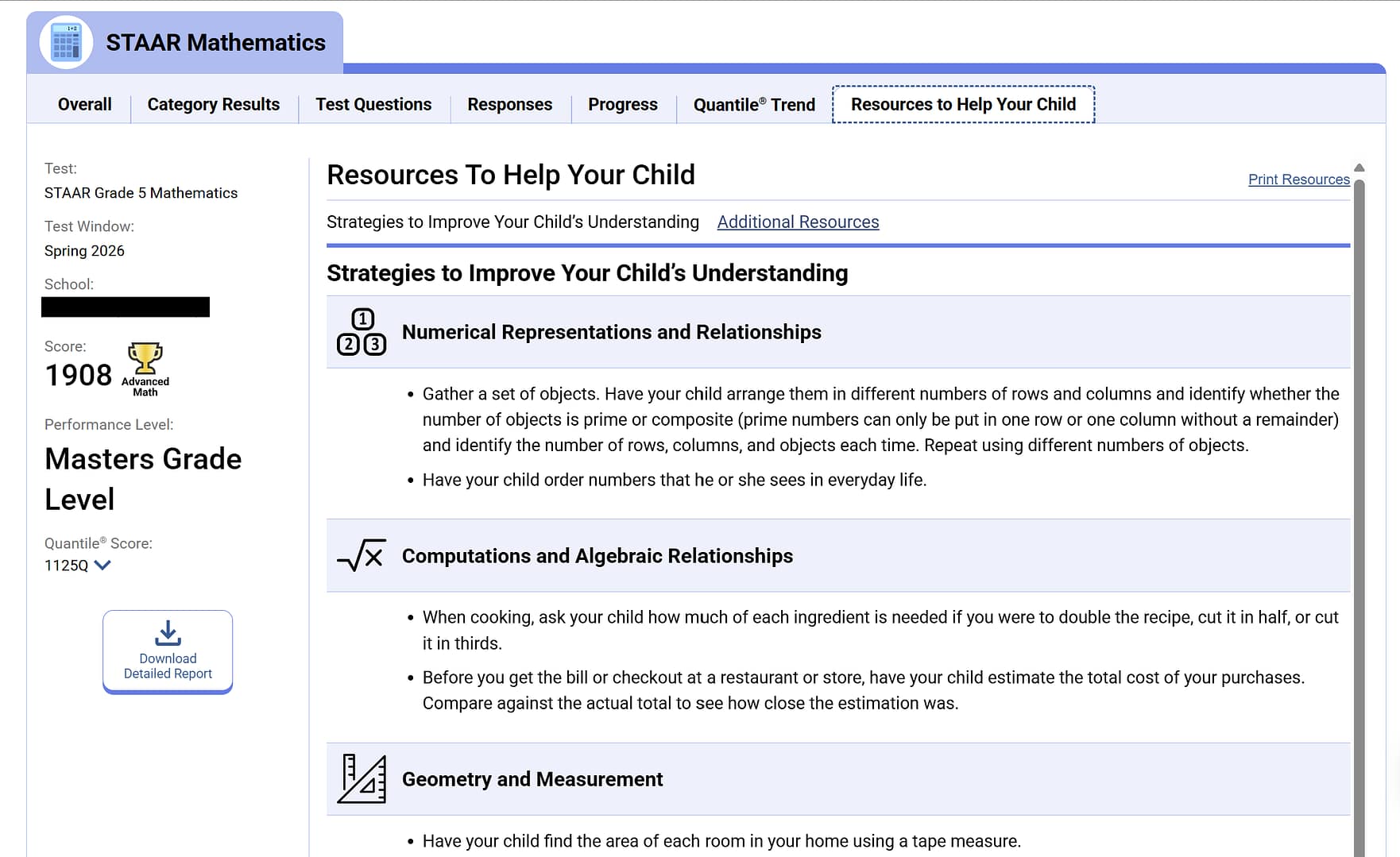
Resources to help your child. Based on your child’s scores, the Family Portal offers ideas and strategies for strengthening specific skills at home.
Working with the teacher
If the score raises a real concern, the teacher is the person to talk to. Learning Heroes has a great resource for talking to your teacher when the new school year begins.
Frequently asked questions
When are STAAR results released? Spring results for EOC became available on June 10, 2026; grades 3–8 appeared on June 16, 2026.
What counts as a passing STAAR score? “Approaches Grade Level” or above is passing. “Did Not Meet” is not passing. Technically, students at the Approaches level are not on grade level and will need support to get on grade level in the next school year. (More on that distinction here.)
What happens if my child didn’t pass? For a “Did Not Meet” score, your district is required by state law to provide accelerated instruction. Start by talking with the teacher about what that will look like.
Do STAAR scores affect my child’s grade? No. STAAR is not a part of any student’s grade calculation in Texas.
For how to think about what the results actually mean for your child, read the companion piece: What your child’s STAAR results actually mean.